

Agentic Browsing is a category in Google’s Lighthouse, shown in PageSpeed Insights, that reports how easily an automated agent can read and act on a page. It contains six audits, but for a site that has not opted into WebMCP and does not publish an llms.txt file, only two of them are scored: whether the accessibility tree is well-formed, and whether the layout stays stable while loading. It is not a ranking factor.
The short version:
- Added to Lighthouse in May 2026; appears in PageSpeed Insights, Lighthouse and Chrome DevTools
- Six audits in four groups — two are scored for an ordinary site
- Reported as a fraction, not a score out of 100
- A missing
llms.txtis marked Not Applicable, not failed - Google labels the category “still under development and subject to change” in the report itself
- Not a ranking factor
I ran this check on 17 well-known sites in one evening — Apple, Wikipedia, the BBC, Booking.com, GOV.UK and others. Six passed everything. Two passed nothing. Wikipedia’s search box turned out to have no label. The results are further down, and they do not line up with the scores anyone currently pays attention to.

What is Agentic Browsing in PageSpeed Insights?
Agentic Browsing is an audit category Google added to Lighthouse in May 2026, and it appears in PageSpeed Insights alongside Performance, Accessibility, Best Practices and SEO. It measures how readily software operating a page on someone’s behalf — rather than a person reading it — can find and use the things on it. Google’s own report describes the category as still under development and subject to change.
That last part is worth sitting with, because it is Google’s wording, printed on every report, and it is doing a lot of work. This is a measurement Google is taking while it decides what the measurement is for.
What is a browser agent, and why has Google started measuring this?
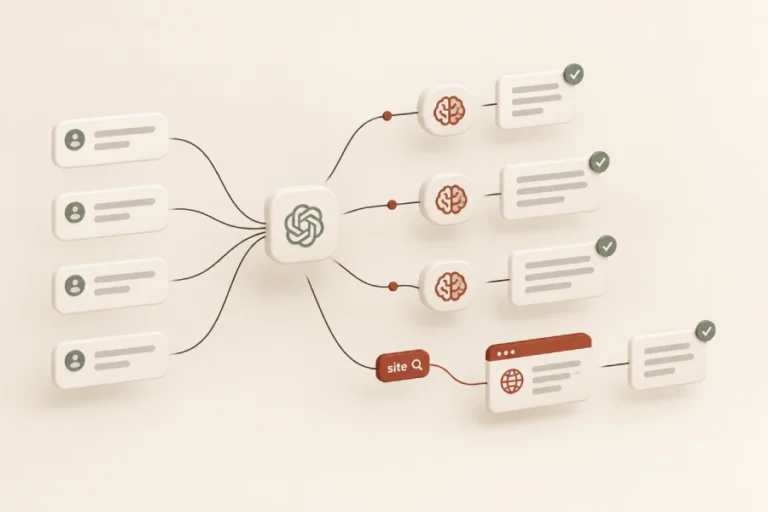
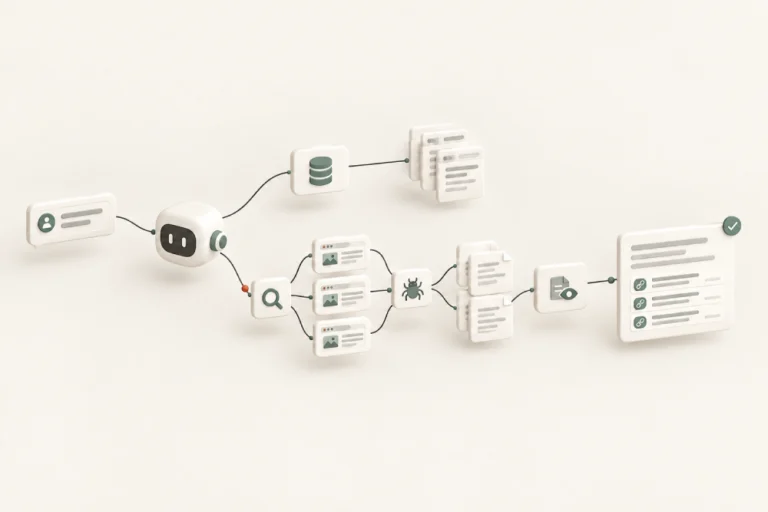
A browser agent is software that operates a web page on a person’s behalf instead of rendering it for them to read: it finds the search box, sets the filters, presses the button. It does not see your page. It reads the structured description the browser builds of it — which is why labelling and stability matter more to an agent than appearance does.
This is the shift the category is responding to. For thirty years the question was whether a page looked right to a person. The question this category asks is narrower and more awkward: if something automated tried to use this page, could it?
Is this Lighthouse or PageSpeed Insights?
Both, and they are not the same thing. Lighthouse is the auditing engine Google builds. PageSpeed Insights is the public web page that runs Lighthouse against a URL and shows the result. Chrome DevTools runs the same engine locally. The Agentic Browsing category belongs to Lighthouse, so it appears identically in all three.
If you have read about Lighthouse Agentic Browsing elsewhere and are looking at PageSpeed Insights, you are in the right place. Same category, different front door.
What does Agentic Browsing actually check?
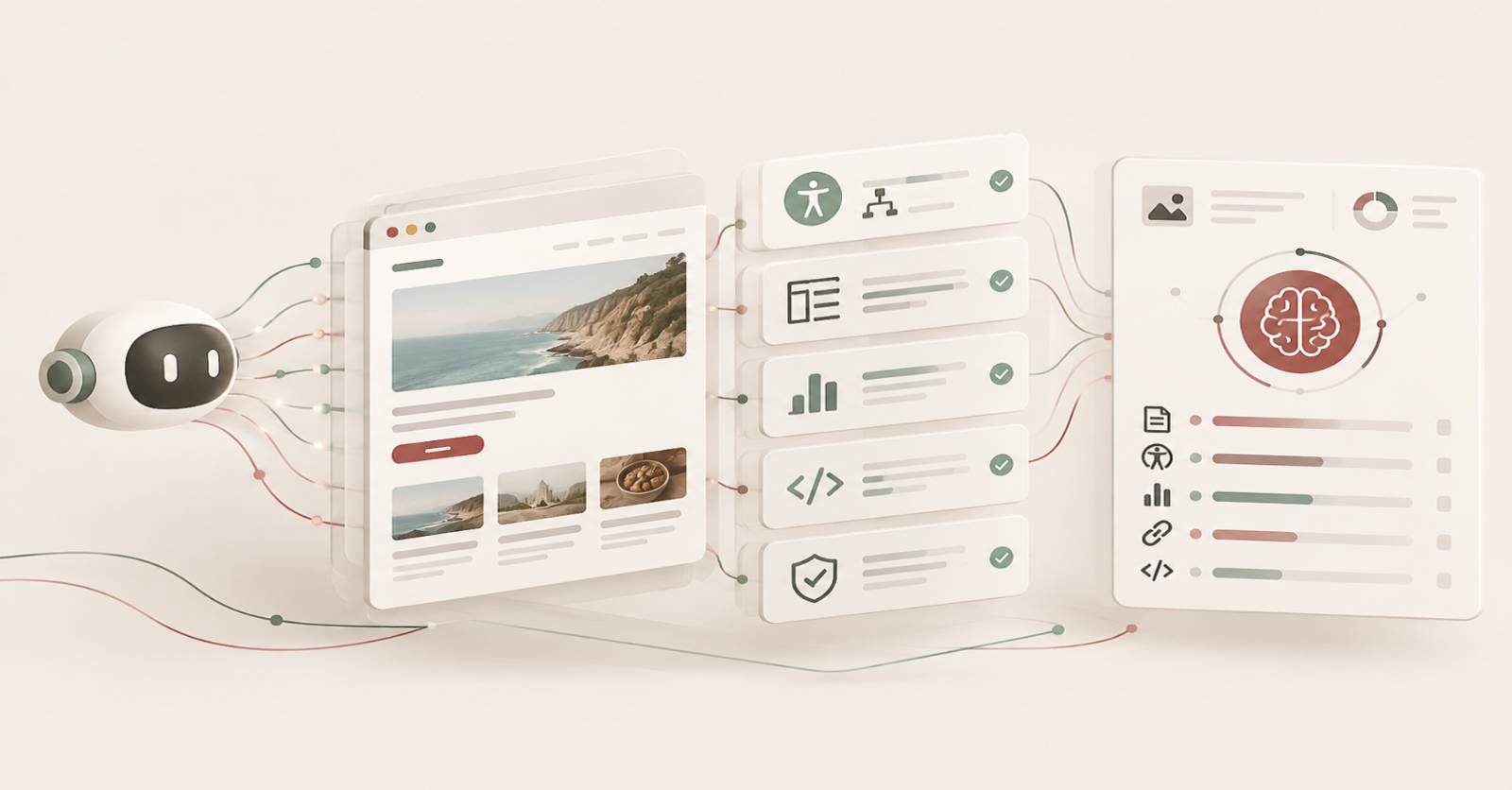
Six audits, in four groups. One checks the accessibility tree. One reports Cumulative Layout Shift. One checks that an llms.txt file, if you have one, follows the recommended format. Three check WebMCP integrations. For an ordinary site only the first two are scored — the other four are marked Not Applicable and excluded from the result entirely.
That gap between six and two is the single most misreported thing about this category, and it is where most of the advice currently circulating goes wrong.
The accessibility tree
The accessibility tree is the structured description a browser builds of everything on a page that can be interacted with: what each thing is, what it is called, and how the parts relate to each other. Screen readers use it. Agents use it too. If a button has no name in that tree, an agent cannot reliably press it.
Nothing about this is new. It is the same tree assistive technology has depended on for two decades. What is new is that a second, much better funded constituency now needs it to be correct.
Layout stability
Cumulative Layout Shift measures how much content moves unexpectedly while a page loads. It is in an agent audit because a person who loses their place simply looks again, whereas an agent has already worked out where to click from the old positions. It is the same measurement reported in the Performance section, shown again for a different reason.
The difference in consequence is the point. A shifting page annoys a person. It makes an agent click the wrong thing and, as far as it knows, succeed.
llms.txt
The audit is called llms.txt follows recommendations, and Google’s own description says the file “should be a Markdown file containing at least one H1 header”. It tests the format of a file you already have. It does not test whether you have one — which is the part almost everyone writing about this has got wrong.
WebMCP
WebMCP is a way for a site to declare which actions an agent may perform on it. Three of the six audits check it: whether tools are registered, whether forms carry the annotations, and whether the schemas are valid. All three require Chrome 150 and registration for the WebMCP origin trial, so on almost every site they do not run at all.
Across 17 sites, they did not run once.
Why is the score a fraction instead of a number out of 100?
Because Google chose not to give this category a 0–100 score. Chrome’s documentation says the intent is to gather data and provide actionable signals rather than a definitive ranking, so the category reports how many applicable checks a page passed — 2/2, 1/2, 2/3. The consequence is that two sites’ fractions are not directly comparable, because the denominators can differ.
This trips people up immediately, and reasonably so. Every other number on that page is out of 100.
Why are four of the six checks marked “Not Applicable”?
Because they do not apply to your site, and Lighthouse removes them from the count rather than failing you. The three WebMCP audits need the origin trial. The llms.txt audit needs an llms.txt file. All four appear together in a Not Applicable section, each badged Unscored. That is why a typical report shows a denominator of two.
Not Applicable is not a soft failure. It is an audit that has been taken out of the arithmetic.
Why do two sites have different denominators?
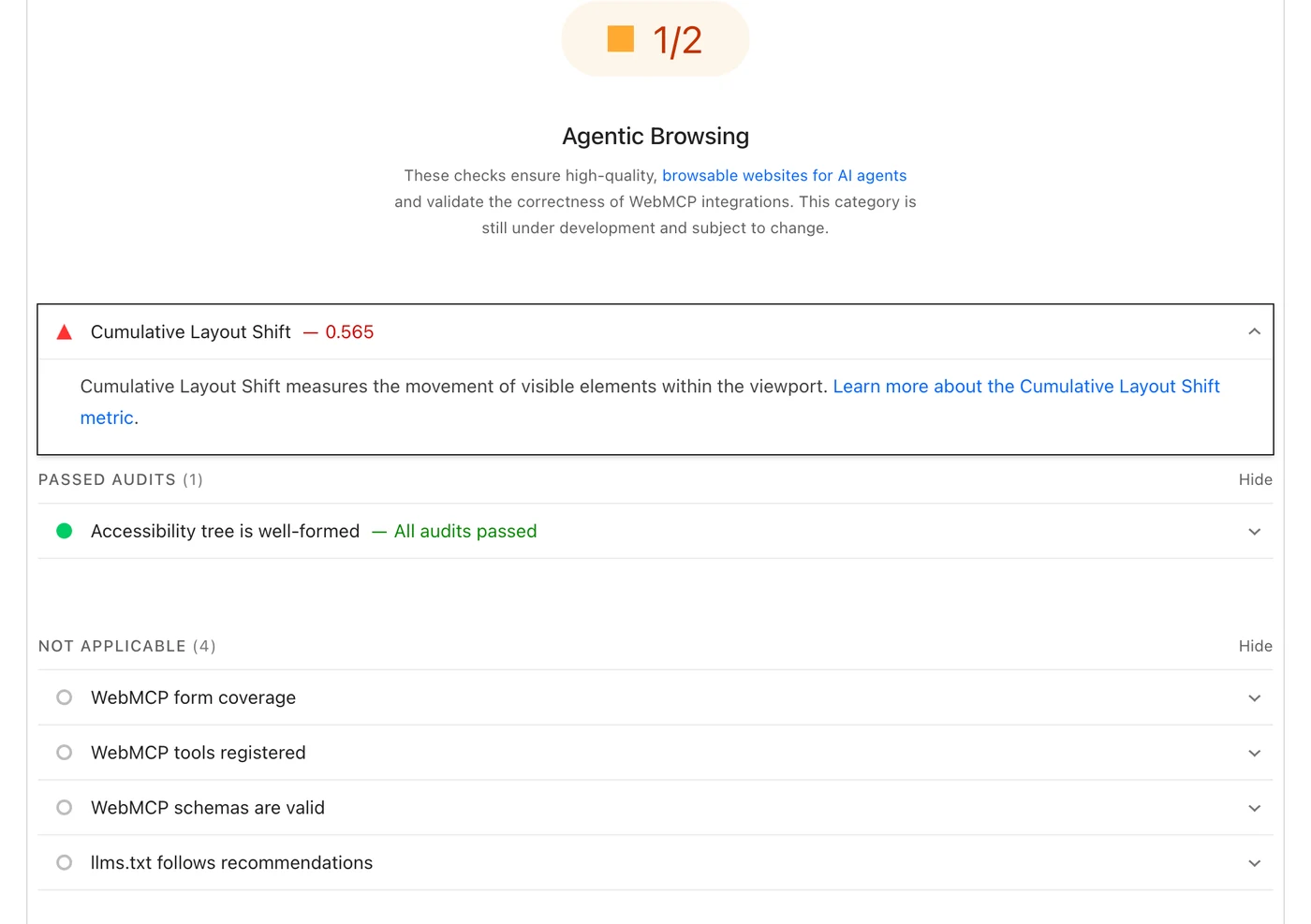
Because the llms.txt audit joins the count only when the file exists. Across the sites I tested on 10 September 2026, every site without an llms.txt was scored out of two, with that audit sitting under Not Applicable. Sites that publish the file were scored out of three, with the same audit sitting under Passed Audits.
WordPress.org scored 3/3, and all three of its passing audits are visible in the report: accessibility tree, layout shift, and llms.txt. GOV.UK scored 1/2, and its report shows four audits in the Not Applicable block instead. Same tool, same evening, different arithmetic — because one of them publishes a file and the other does not.
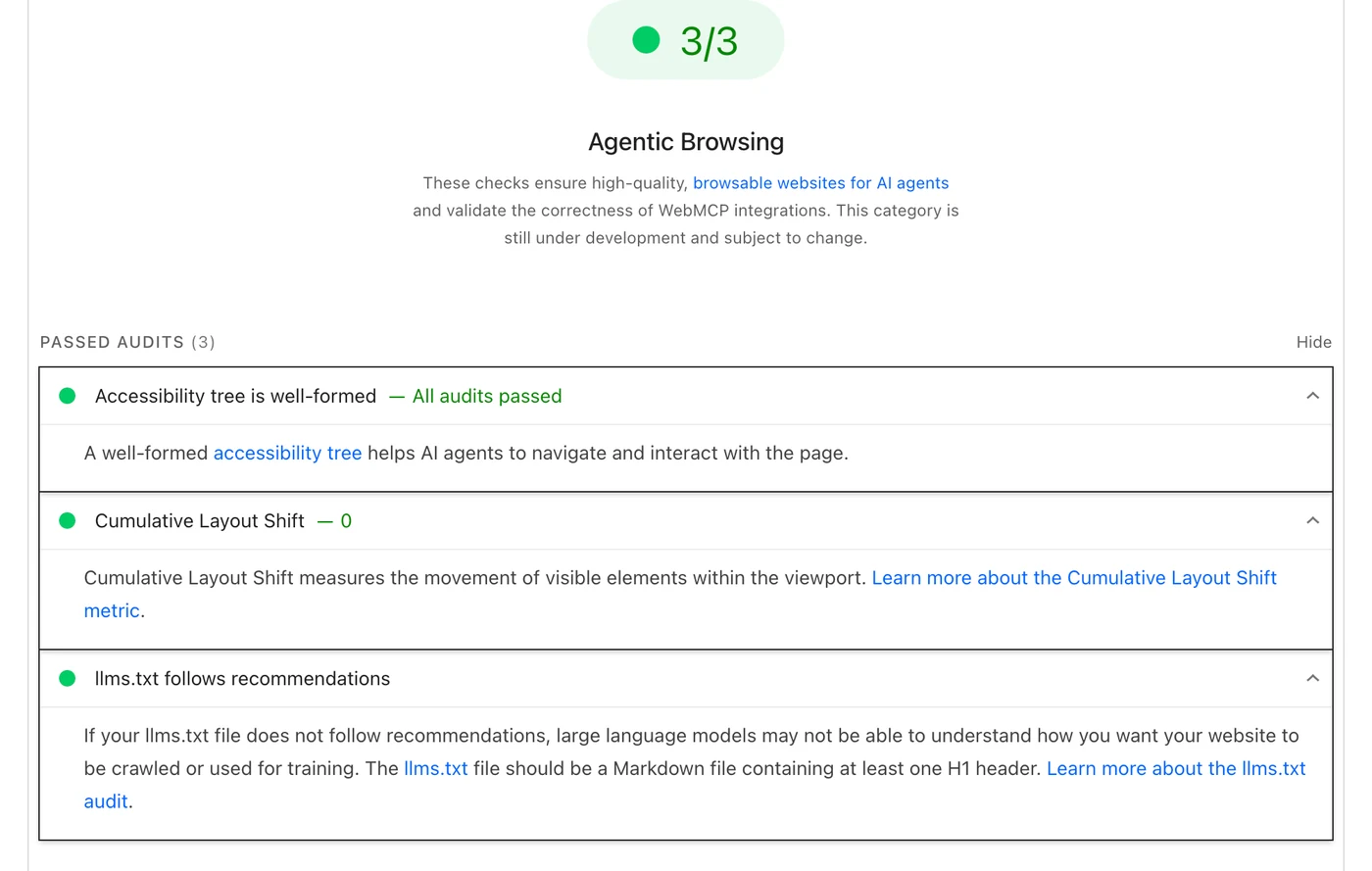
I have not seen this reported anywhere, and it explains something people keep noticing without being able to account for: why one well-known site scores 1/2 and another scores 2/3, as though the tool were checking different things on each. It is. The file decides.
Do you need an llms.txt file to pass?
No. If the file is missing, Lighthouse marks the audit Not Applicable and drops it from your score rather than failing you. Chrome’s documentation states that providing the file is “optional at the moment”, and that Lighthouse flags a page only when the server returns an error fetching a file that does exist. A missing llms.txt costs nothing. A broken one is the only failure state.
This matters because the version of this story that has spread is roughly: Google’s search team says llms.txt does nothing, but Google’s own tool now checks for it, so you had better add one. The first half is fair. The second half is not what the tool does. It does not check whether you have the file. It checks the formatting of a file that already exists, and if there is no file, it stops looking.
Whether llms.txt is worth having at all is a separate question, and a longer one. I answered it separately, by reading nine of these files including my own, in does llms.txt actually do anything. On the narrow point of whether its absence costs you anything in this category: it does not.
What did 17 well-known sites score?
Six passed every applicable check. Nine passed some. Two passed none. That is 17 sites — most of them large, well-resourced and professionally built — tested on mobile homepages on 10 September 2026, one run each. Roughly two-thirds did not fully pass, and the ones that failed were not the ones you would guess.
One disclosure before the table: my own site is in it, and it scored 3/3. Make of that what you like — I built it knowing what the checks were.
The results
| Site | Agentic Browsing | Accessibility score | What failed |
|---|---|---|---|
| stripe.com | 3/3 | 100 | — |
| theshiva.co | 3/3 | 100 | — |
| wordpress.org | 3/3 | 100 | — |
| harvard.edu | 2/2 | 96 | — |
| microsoft.com | 2/2 | 100 | — |
| mozilla.org | 2/2 | 100 | — |
| github.com | 2/3 | 100 | Layout shift (0.178) |
| notion.so | 2/3 | 86 | Accessibility tree |
| airbnb.com | 1/2 | 91 | Not captured |
| bbc.com | 1/2 | 95 | Accessibility tree |
| booking.com | 1/2 | 96 | Accessibility tree |
| gov.uk | 1/2 | 100 | Layout shift (0.565) |
| ikea.com | 1/2 | 93 | Accessibility tree |
| reddit.com | 1/2 | 93 | Accessibility tree |
| wikipedia.org | 1/2 | 94 | Accessibility tree |
| apple.com | 0/2 | 100 | Both |
| nytimes.com | 0/2 | 87 | Both |
Mobile, homepages, one run each, 10 September 2026. Anyone can reproduce this — the tool is free and the URLs are public.
What the spread shows
Performance and accessibility scores do not predict this result. Wikipedia scores 100 for performance and passes one of two checks. GOV.UK holds a perfect accessibility score and passes one of two. Apple holds a perfect accessibility score and passes neither. The sites that passed everything have nothing obvious in common with each other.
A payment company, a university, a browser maker, a blogging platform and a one-person consultancy all passed. A newspaper and a phone manufacturer failed completely. Eight of the eleven failures were the accessibility tree; three were layout shift.
What actually fails, and why?
Two things, and one of them dominates. Of the sites that did not fully pass, most failed the accessibility tree audit and a minority failed layout stability. Every accessibility failure I found was an ordinary accessibility defect — an element given the wrong role, or a control with no name — and every one is fixable without redesigning anything.
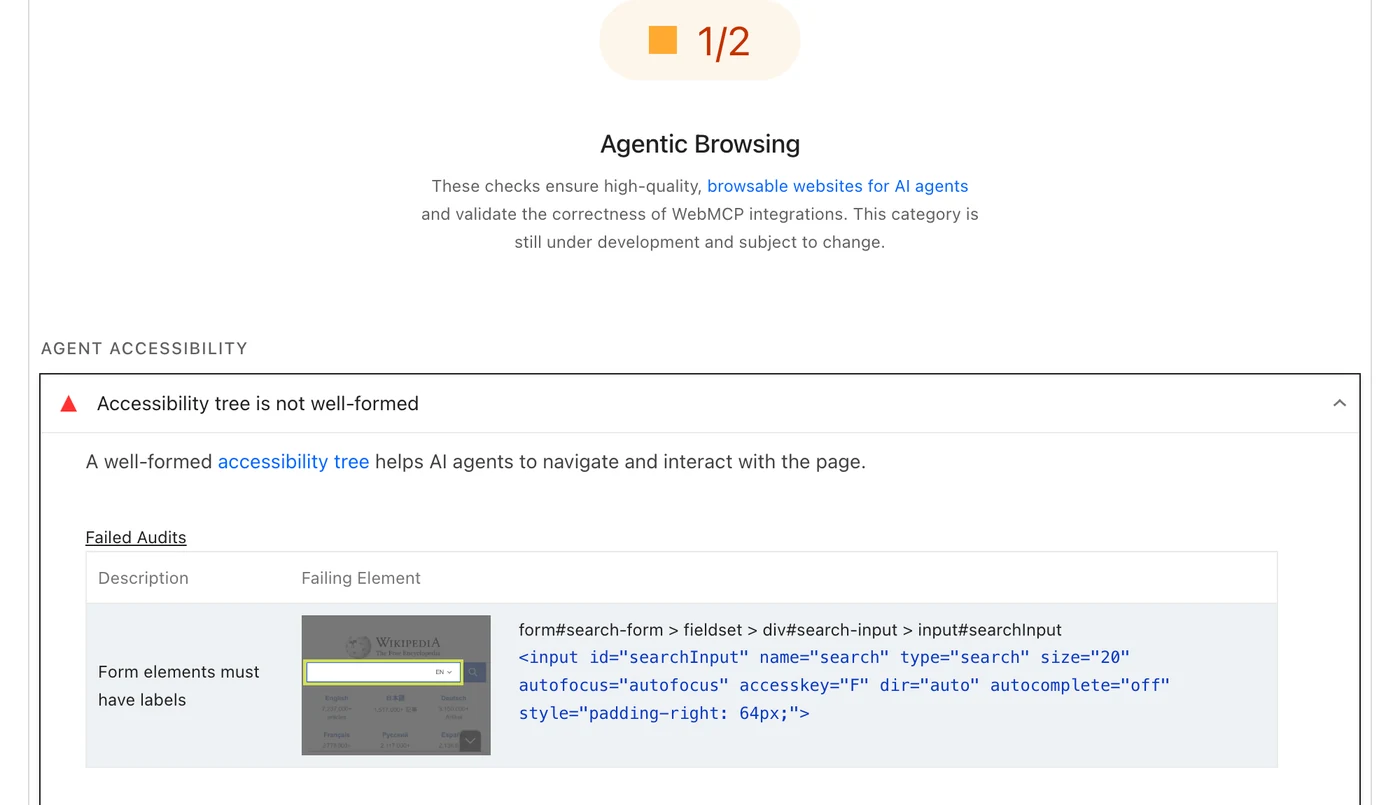
The search box on Wikipedia has no label
Wikipedia fails on a single element, and it is the search input on the front page. The audit flags it under form elements must have labels: an <input id="searchInput" name="search" type="search"> with no associated label at all.
A person knows it is the search box because of where it sits and what it looks like. An agent reading the tree finds an unnamed text field on the most-visited reference site on the internet.
Booking.com’s search form is declared a “region”
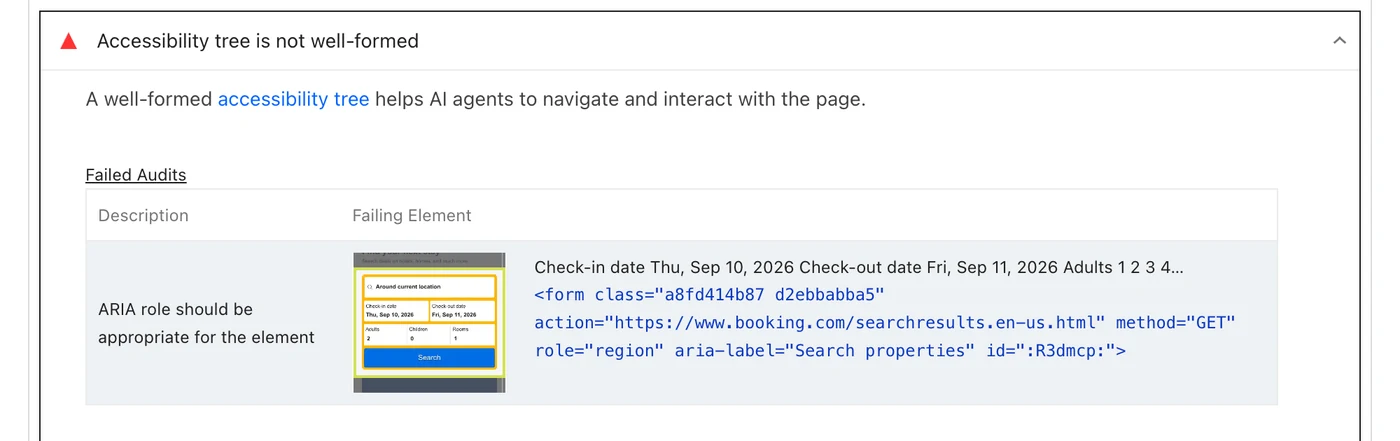
Booking.com’s homepage search — the dates, the guests, the destination — is a <form> carrying role="region". The audit flags it as an ARIA role that is not appropriate for the element.
In plain terms: the site has told the browser that its booking form is a generic section of the page rather than a form. It still works for a person, who can see the fields and the button. An agent looking for something to fill in has been told there is nothing there.
A video that tells agents it is an image
Apple’s homepage carries a <video> element with role="img" on it. The audit flags it as an ARIA role that is not appropriate for the element. Apple has told the browser to describe a moving video to assistive software, and to agents, as though it were a still picture.
The BBC’s account button has no name
The BBC fails on its mobile account toggle — the little person icon in the header. It is a <button> with an icon inside and no text, flagged under buttons must have discernible text. Notion fails similarly, on the heading inside its cookie dialog: a <p> given role="heading" without the attribute that says which level it is.
Both are the same shape of mistake. Something was styled to look like a control and never told the browser what it was.
A site with perfect markup that still fails
GOV.UK passes the accessibility tree audit cleanly and fails on movement alone — a Cumulative Layout Shift of 0.565. It is arguably the most accessibility-conscious large site in the English-speaking web, and it fails this category anyway. Nothing about its markup needs changing.
Across the whole set, every failure came from a handful of standard accessibility rules: a role applied to an incompatible element, buttons and links without discernible text, form elements without labels, and required ARIA attributes left off. Every one of them existed long before anyone used the word agentic.
Can a site score 100 for accessibility and still fail this?
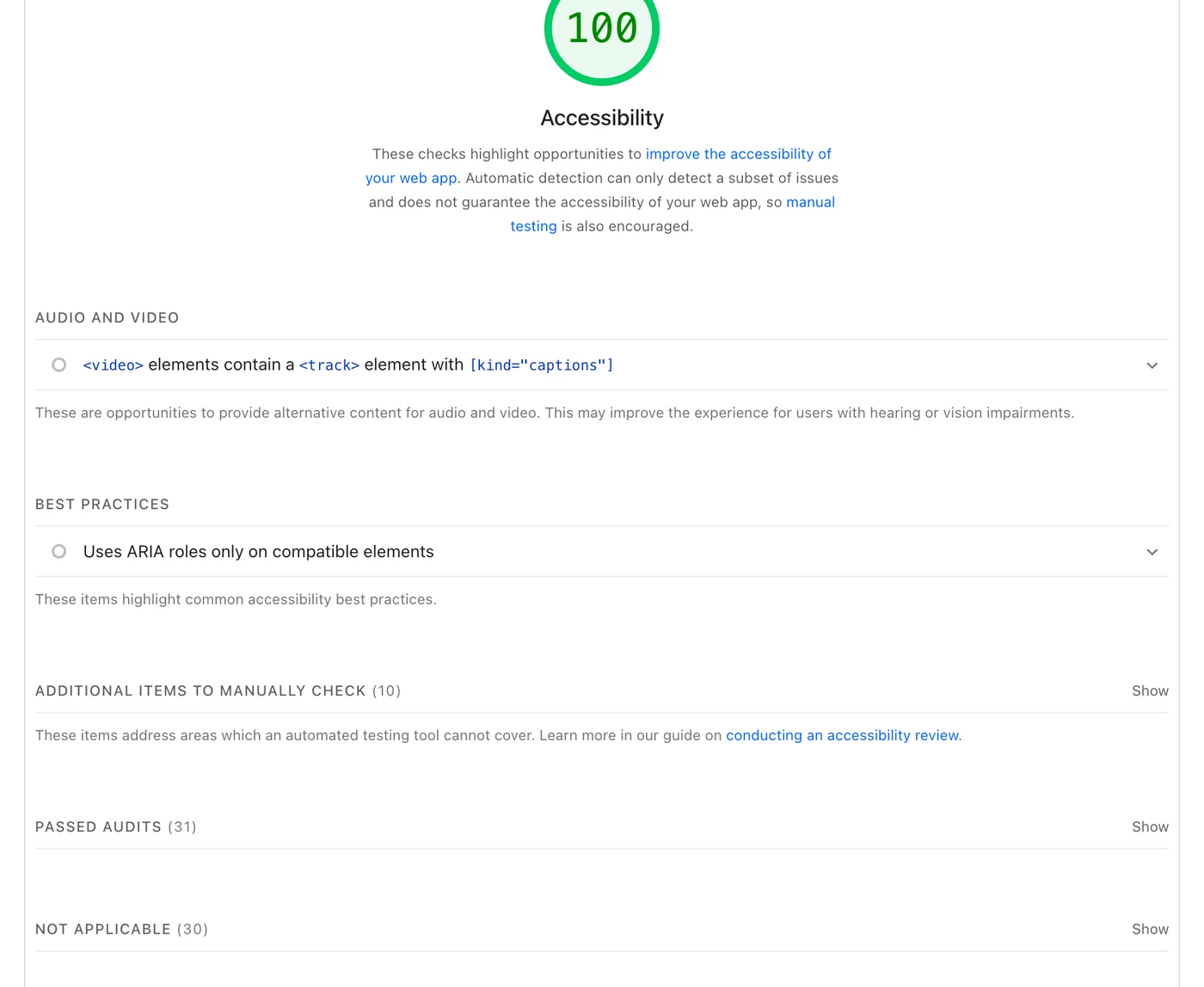
Yes, and Apple is the proof. Its Accessibility score is 100 and its Agentic Browsing result is 0/2. The rule it fails on — using ARIA roles only on compatible elements — does appear in the Accessibility category, but it sits under “Best practices”, outside both the 31 passed audits and the 30 marked not applicable, and it does not count towards the score.
So the two are not the same check wearing different clothes. A perfect accessibility score can exclude the exact rule the agent audit counts, and on Apple’s homepage it does.
Does Agentic Browsing affect your Google rankings?
No. Google has not designated Agentic Browsing a ranking factor, and the category description inside the report says it is still under development and subject to change. It reports on a page; it does not feed Search. Anyone telling you your rankings depend on this fraction is describing something Google has not said.
Does ChatGPT or Claude use any of this?
There is no evidence that they do. Lighthouse is a Google tool, measuring how a browser agent can operate a page. ChatGPT and Claude are separate systems with their own crawlers and their own retrieval. A good result here is not evidence that either will cite your site, and a poor one is not evidence that they won’t.
Does the fraction change between runs?
Mostly it holds, but I watched one site move. The New York Times returned 0/3 at around nine in the evening and 0/2 two hours later — the same failures, a different denominator, because its llms.txt audit was applicable in one run and not in the other. By Google’s documentation that means the file was reachable in one run and returned a 404 in the next.
Microsoft’s homepage, by contrast, ran twice within an hour and returned 2/2 both times, while its Performance score moved from 27 to 44 across those same two runs. Treat the fraction as steadier than the performance number, not as fixed.
What should you actually do about it?
Fix the accessibility failures, because they are real defects affecting people using assistive technology as well as agents, and because they are what actually fails. Fix layout shift if it is already on your list. Do not buy an llms.txt file as a deliverable, and do not pay anyone to rebuild your site for AI agents on the strength of this fraction.
Fix first
The accessibility tree failures. In this set they were roles applied to the wrong element, buttons and links with no text, and form controls with no label. All three are ordinary markup fixes, all three are named in the report itself with the offending element quoted, and all three help people before they help any agent.
Fix if it is already on your list
Layout shift. It has been worth fixing since long before this category existed, for reasons that have nothing to do with agents. If your Cumulative Layout Shift is already good, this audit costs you nothing; if it is bad, you had a problem before Agentic Browsing noticed it.
Do not buy
An llms.txt file sold as an AI-visibility deliverable. A rebuild “for AI agents”. A proprietary readiness score built on top of a free Google check. The underlying work here is standard accessibility and performance work, and anyone pricing it as something new is telling you what they don’t know.
Your questions, answered
Where do I run this check?
Open pagespeed.web.dev, enter your URL, and scroll to the bottom of the report. The same category appears in the Lighthouse panel of Chrome DevTools if you would rather run it locally. Both use the same engine, so the result is the same.
Which Chrome version do I need?
Chrome 150 or later. The three WebMCP audits additionally require registering for the WebMCP origin trial, which is why they show as Not Applicable on almost every site. The accessibility tree and layout stability audits run without any registration at all.
My report does not show this category — why?
Most likely an older Chrome, or a cached report from before the category existed. Re-run the analysis rather than reloading the page. If it still does not appear, check the Lighthouse version at the foot of the report against the version that introduced the category.
Is this the same as an AI visibility audit?
No. This is a free Google tool reporting two checks on one page. Whether models actually cite your business is a different question with different evidence behind it, and I have written up how to measure whether AI actually cites your business using data you already own. Running this check costs nothing and is worth doing first.
Should I register for the WebMCP origin trial?
Probably not yet, unless you are actively building agent integrations. It is experimental, it can change, and registering only makes three more audits run — it does not improve anything for the people already using your site. There is no penalty for leaving those three Not Applicable.
The short of it
The checks in this category are not new work. They are labelling, roles and layout stability — the things that have always separated a site a machine can use from one it can only look at. What has changed is that Google now publishes a number for it, and most sites have never been checked against it.
How AI engines decide which pages to fetch and cite is a separate mechanism, explained in how AI engines actually find, read and cite a website. If you want to know whether AI systems can find, read and cite your business rather than simply operate its buttons, that is a larger question and a different piece of work — it is what my AI visibility audit is for. Run the free check first. It takes a minute and it will tell you something true.